

Skip to content
Menu
WorkflowSkills, tmux and the daily loopToolsai-usagebarQuota and reset times for 24 AI providersghpendingEvery open PR and issue in one listtclockA terminal clock with command widgetsai-memoryLong-term memory for coding agentsai-jailAn OS sandbox for AI coding agentsWritingThe blog and the LLM benchmarkNewsletterThe M.Akita Chronicles, every MondayPodcastsLong conversations about AI, on videoGamesMy game collection as code, on OmarchySetupOmarchy, tmux, and what I set asideFollow
A lair with the doors open

Akita's AI Lair

I am Fabio Akita: a programmer for more than 30 years, entrepreneur, speaker, writer and former YouTuber. My LinkedIn has the long version.

I maintain more than 40 open source repositories with AI agents doing most of the typing. These are the tools I built to keep that manageable, the workflow that ties them together, and the writing where I document what I learn.

Illustrated portrait of Fabio Akita: grey hair, round glasses, white shirt and a dark tie, looking up with a confident half smile.

One desk, two monitors, many agents

The second monitor tells me what needs attention. The first one runs one agent per project. A shared memory sits under all of them, and a gauge in the top bar tells me when to change providers.

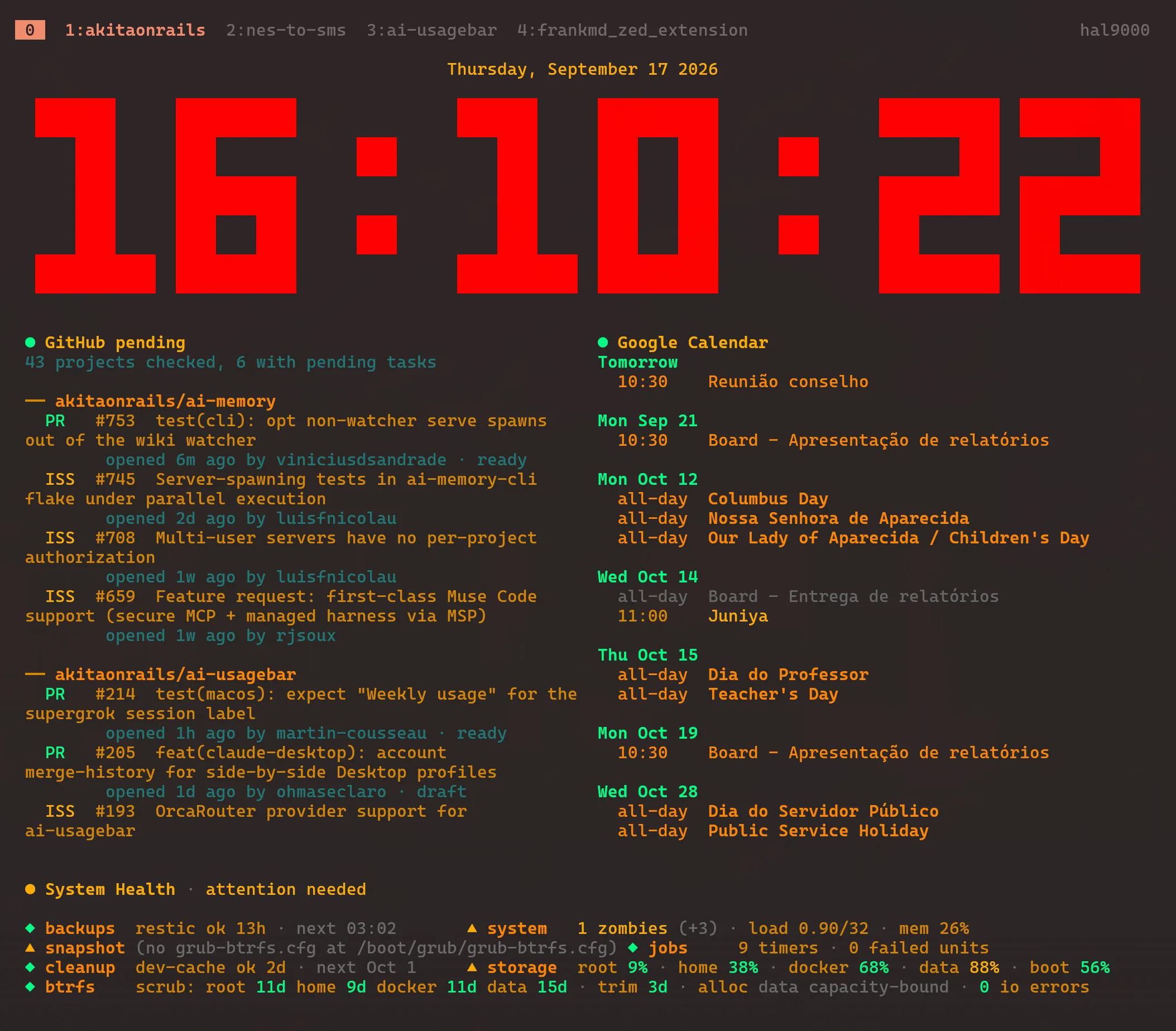
My second monitor: tclock showing 16:10:22 in large red digits, a GitHub pending widget listing open pull requests and issues for ai-memory and ai-usagebar, a Google Calendar widget and a system health strip.
My second monitor on a normal Thursday. 43 repositories checked, 6 with something waiting.
Two monitors on a desk. Monitor 2 shows a red pixel clock and a ghpending list. Monitor 1 shows tmux split into four agent panes, with ai-usagebar in the top bar. A teal slab labelled ai-memory under the desk feeds all four panes.
  1. Monitor 2: the queue

    tclock shows the time, my calendar, system health, and a ghpending widget with every open pull request and issue across the repositories I track.

  2. Monitor 1: tmux, one agent per project

    Each tmux window is a project. I start the agent with ai-memory run and give it one line: run pr-audit and iss-audit, then run github-resolution. The skills do the rest.

  3. Under everything: ai-memory

    Every project keeps its own memory of decisions and traps. A new session starts where the last one stopped, whichever agent runs it.

  4. In the top bar: ai-usagebar

    ai-usagebar shows how much of each plan's 5-hour and weekly quota I have used, and when it resets. When one runs dry, I move the work to another agent.

The daily loop

The skills do the heavy lifting. I read their reports and make the calls.

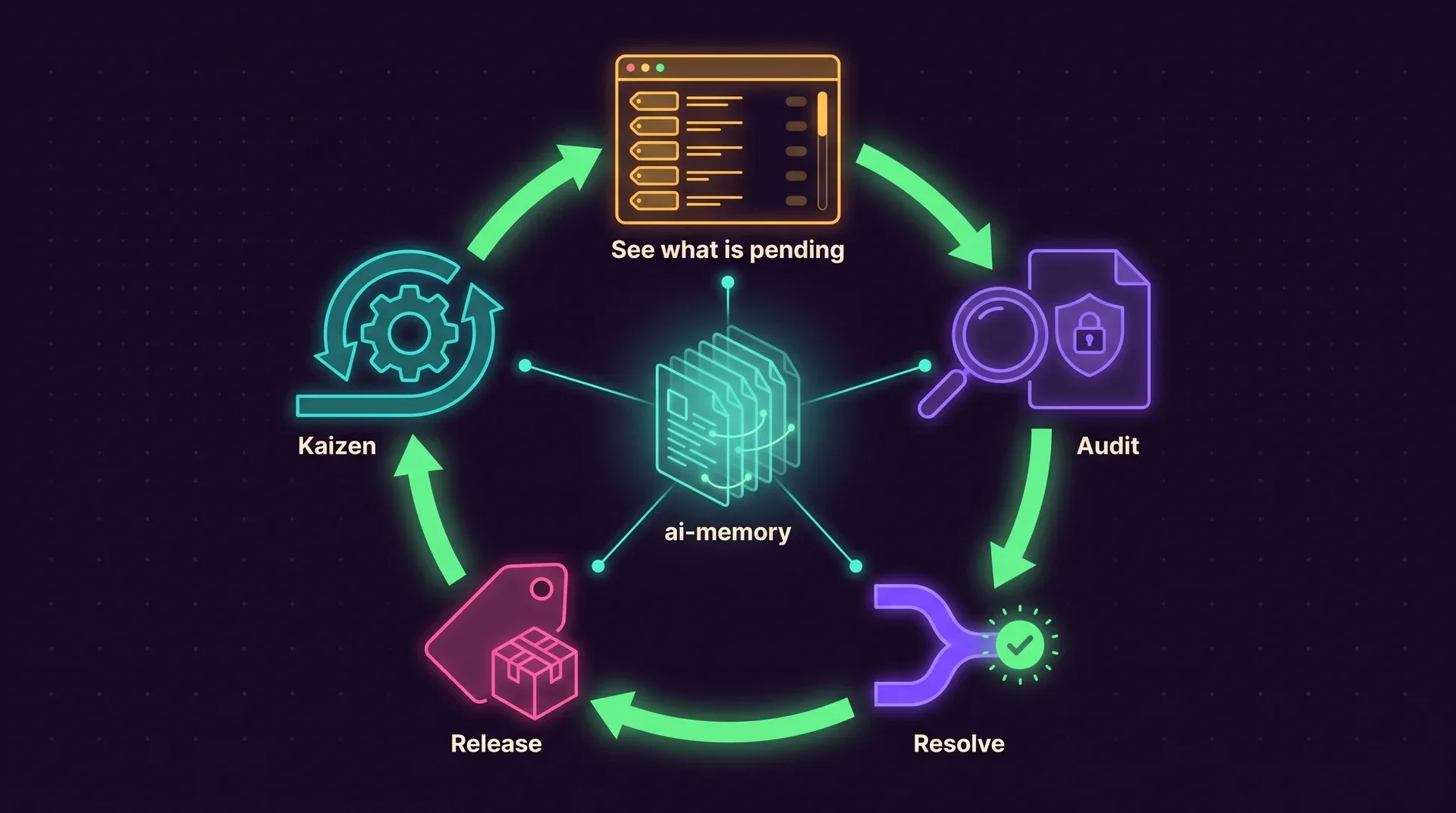
A clockwise loop of five stations: See what is pending, Audit, Resolve, Release and Kaizen, around a central ai-memory wiki connected to every step.
ghpending shows the queue, the audit skills check every pull request and issue, github-resolution turns the approved ones into merged code, and the release skill cuts a version when I ask for one. Kaizen closes the circle: whatever went wrong becomes a fix to the process itself.

Ship first, fix later. AI made fixing faster and cheaper.

How the pipeline works

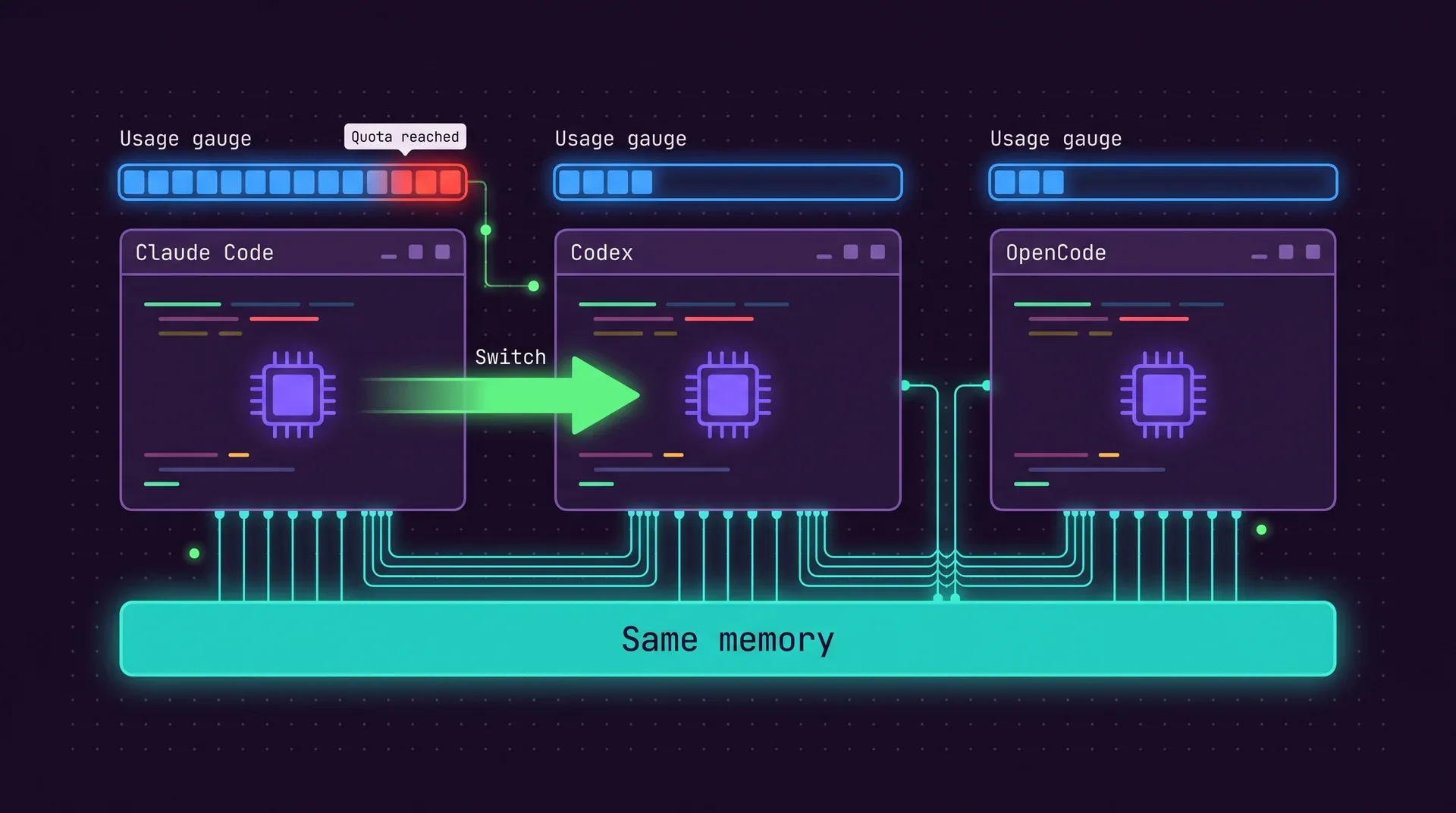
Out of quota? Change agents, keep the context

The memory lives outside the agent, so moving a task from Claude Code to Codex or OpenCode costs one command. The new agent reads the same wiki the previous one wrote.

Three small tools I use every day

In order of how much I depend on them. All three are written in Rust, MIT licensed, and install with one command.

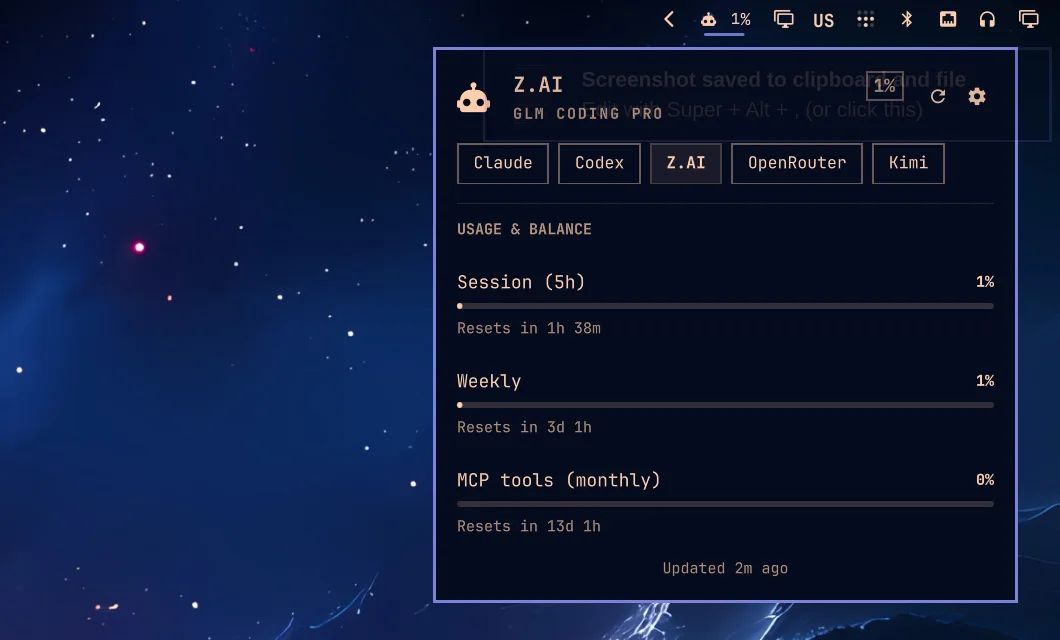
The ai-usagebar panel open in the Omarchy top bar, showing Z.AI GLM Coding Pro usage: session, weekly and monthly MCP tools, each with its reset time, and tabs for Claude, Codex, Z.AI, OpenRouter and Kimi.
ai-usagebar

Know how much AI you have left

A top-bar widget, a terminal UI and native tray apps that show quota, balance and reset time for Claude, Codex, GitHub Copilot, Z.AI, OpenRouter and 19 more providers.

  • Omarchy Quattro, Waybar, GNOME, KDE Plasma 6, macOS and Windows
  • A desktop alert when a quota window crosses 97%
  • One bar item can cycle through every provider you pay for
terminal
yay -S ai-usagebar-bin# or, on any Linux or macOScargo binstall ai-usagebar
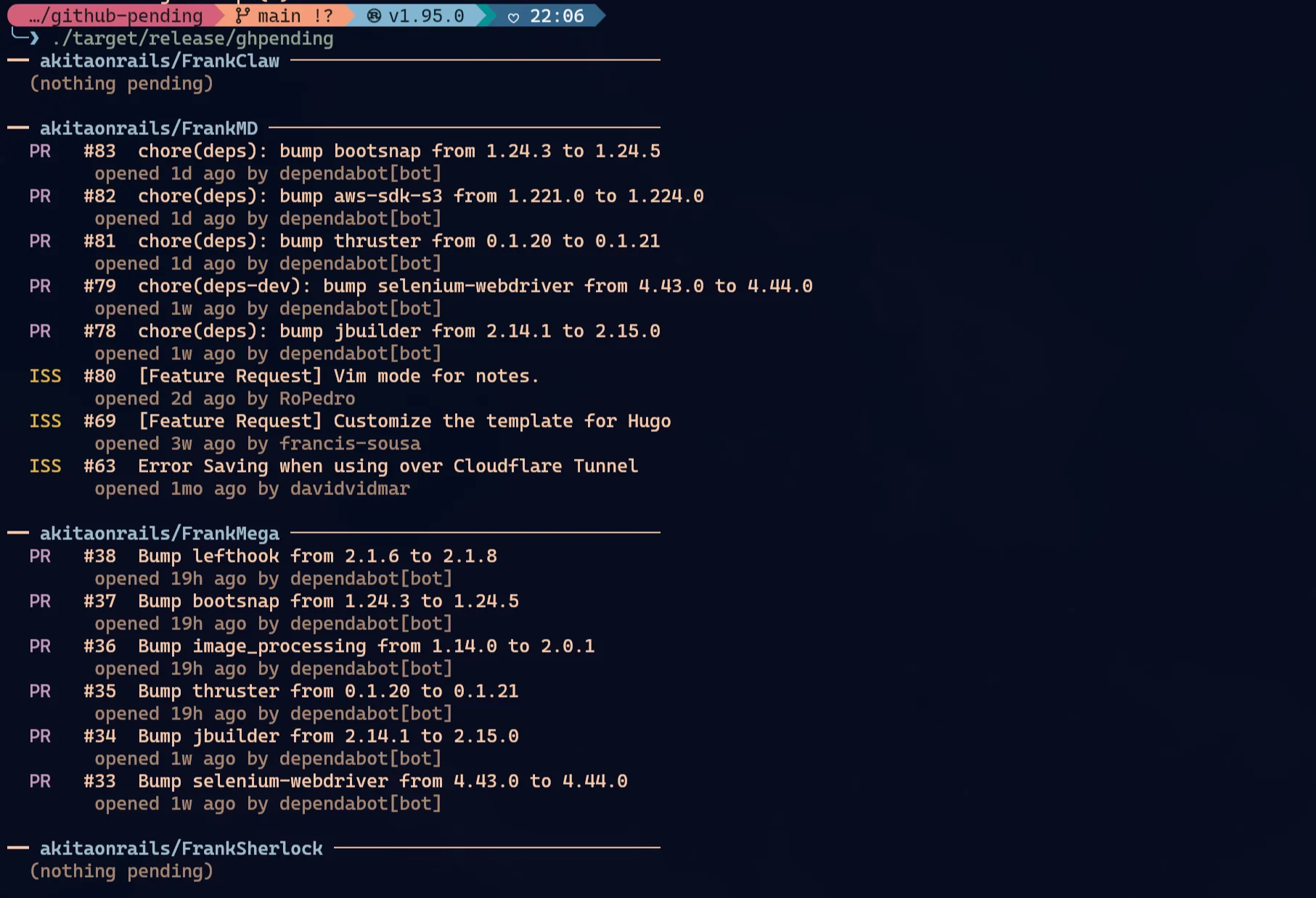
ghpending output in a terminal: repositories FrankClaw, FrankMD, FrankMega and FrankSherlock, each with its open pull requests and issues, number, title, age and author.
ghpending

Every open PR and issue, in one list

A Rust CLI that fetches every repository you track at once and prints what is waiting. Your own items drop to the bottom, since they wait on other people. Forks show your pull requests on the upstream project instead.

  • Dependabot, secret scanning and code scanning alerts for repos you own
  • Sort by activity, name, count or the most neglected
  • Doubles as a tclock widget, with matching themes
terminal
brew tap akitaonrails/tap && brew install ghpendingghpending add
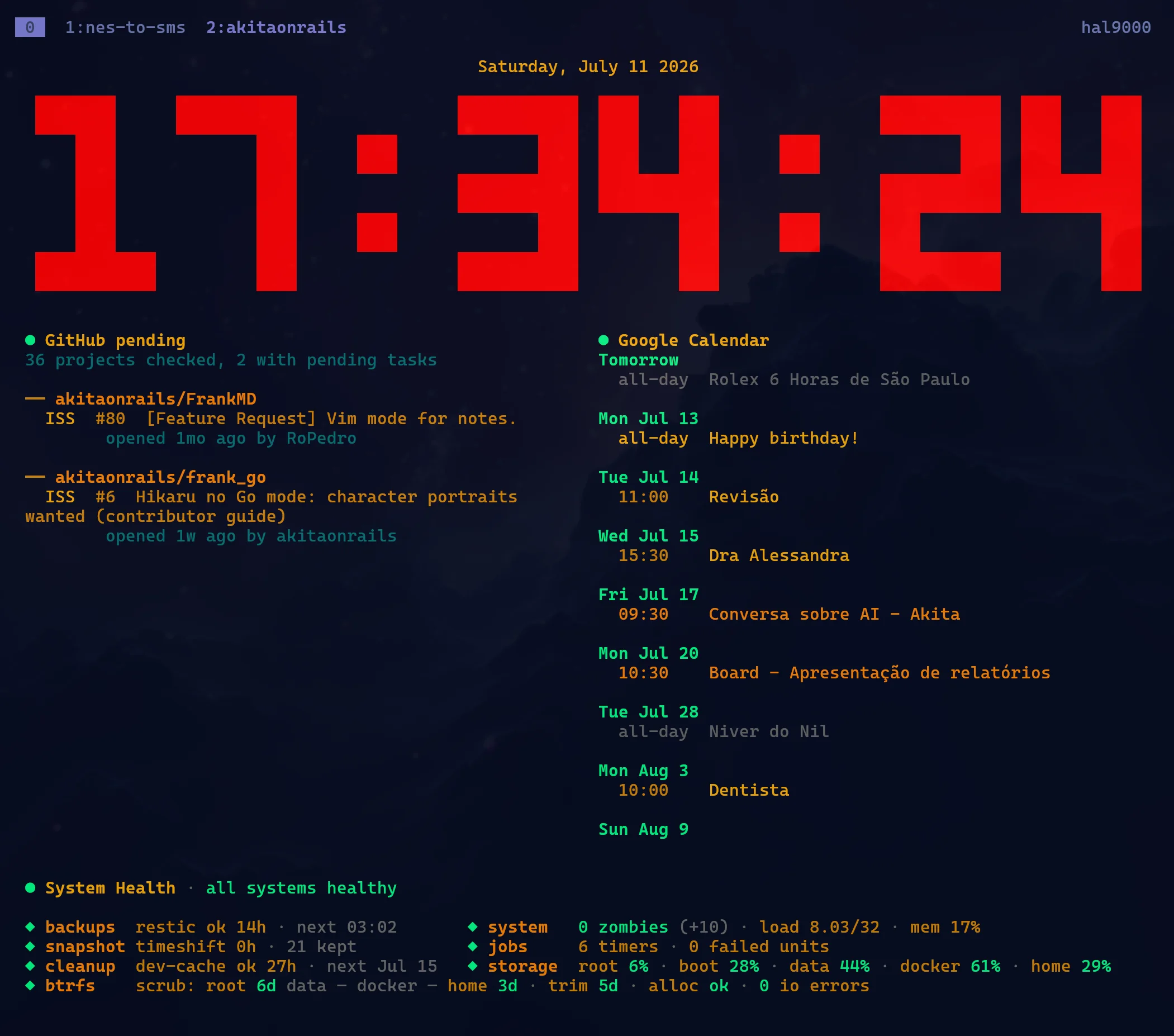
tclock with the NERV theme: 17:34:24 in large red pixel digits over a dark sky, a GitHub pending widget, a Google Calendar widget and a system health strip.
tclock

A clock for the second monitor

My maintained fork of clock-tui: a terminal clock, timer, stopwatch and countdown. Widgets run any command and show its output under the clock, so the clock becomes a dashboard.

  • Evangelion and NERV themes, cycled with Shift+T
  • Widgets refresh on their own schedule and can open detail popups
  • Prebuilt binaries for x86_64 and aarch64
terminal
yay -S clock-tui-bintclock --theme nerv

Learning in the open

Everything I try with AI ends up on my blog, with the numbers, the bills and the failures. That is also how I decide which model to use for what.

Your excitement about AI is inversely proportional to your knowledge of AI.

Sua empolgação com IA é inversamente proporcional ao seu conhecimento sobre IA.

LLM Benchmark v4

Every major model, tested on the same sabotaged app

One Rails app, fourteen sabotages based on real CVEs, and 44 models ranked by whether they notice and fix what is broken. Every major new model goes through the same table.

44
models ranked
14
sabotages to catch
$4,000+
spent in 9 days

A few posts that show how I work

More writing
The M.Akita Chronicles

And every Monday, a newsletter

The M.Akita Chronicles is a weekly tech newsletter and podcast in Portuguese, curated by me and commented on by M.Arvin, a very depressed robot. The podcast now also has some of my favorite blog posts as full episodes.

How it is made
Podcasts

Five long conversations, on video

Flow, Inteligência Ltda, Fernando Ulrich and a Tropical on Rails talk: hours about AI, programming jobs and the hype, plus the short cuts if you are in a hurry.

Watch them

Where to follow me

Each place gets a different side of me. Pick the one that matches what you want to hear about.

How to contact me

Write to boss@akitaonrails.com.

Everything here is open source

The tools, the skills and the benchmark are public repositories. Fork them and build the version that fits the way you work.